


Everyone needs a laptop. They are crucial to our day-to-day existence – ensuring that we can get connected to the rest of the world at the touch of a button.
They mean we can easily find out anything we want to know about the world wherever we are in the world. They provide us with work, entertainment and sometimes even love.
The worst thing that can happen when you rely on your laptop so much is if it suddenly stops working. Or if it gets overheated and won’t work as effectively as it should. This can not only be personally annoying but quite worrying if you use your laptop on a regular basis.
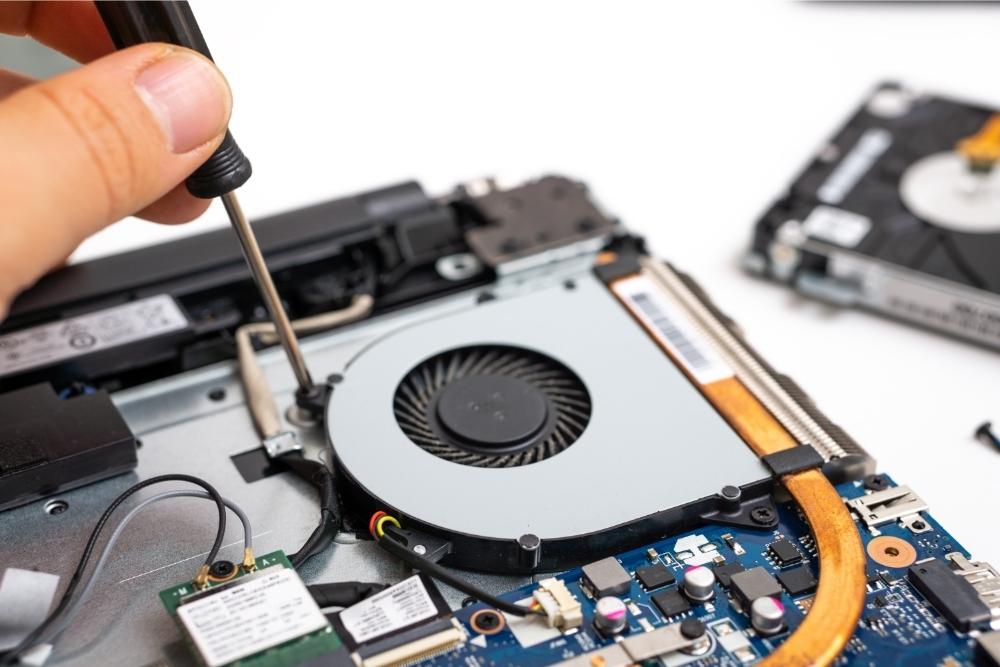
So if your laptop fan suddenly stops working you might feel stressed. Questions will be running through your mind. What can you do to repair it? Should you buy another computer? How much does it cost to repair a laptop fan?
This piece will illuminate all these questions and make it clear why you need a laptop fan, how much it costs to fix it and why you should get it fixed as soon as possible.
What is a Laptop Fan?
Firstly, it is important to make clear what we are talking about. What exactly is a laptop fan?
A laptop fan is a small fan that is usually inside the computer (though it can sometimes be found outside it) that helps bring cool air into the laptop and expel warm air. This is important because you computer can get easily overheated when it is being consistently used.
If the operating temperature of your laptop rises too quickly or becomes too warm this can damage the main and important components of your computer such as your hard drive or make your keyboard not work properly. This is because the electricity that goes through your laptop and is used to make it works can easily get too hot for the computer to handle.
It is important to also remember that you wouldn’t want your laptop to be too cold as it then wouldn’t work. Keeping your computer at the right temperature is crucial to it working as effectively as possible.
This is why if your laptop fan stops working you should make sure that you get it fixed as soon as possible.
How much does it cost to fix your laptop fan?
Now that you know why you need to fix your laptop fan it is important to find out how much it will cost.
The amount of money you will spend on fixing your laptop fan can vary dependent on the operating system and model. Certain computers require a particular type of laptop fan in order for them to work properly.
The average cost of a replacing your laptop fan however is somewhere between $70 and $200 dollars, again depending on what model you own, who manufactured it and what the operating software is.
This is of course if you have it replaced by a professional. If you replace the part yourself then it will take approximately an hour and between $20 and $50. It must be stressed though that you should only replace your laptop fan yourself if you have some experience with operating and repairing the insides of computers.
Whilst replacing a laptop fax may not be the most complex piece of computer engineering possible it is crucial you know what you are doing because if you attempt to repair it yourself without knowing what you are doing you could inadvertently damage your laptop further.
The Costs Involved in Replacing Your Laptop Fan
It is important to break down the exact costs of replacing your laptop fan so you know exactly where you stand.
You can get a laptop fan for even cheaper than the suggested guide price of $20 and $50. There are laptop fans on the market that you can buy for as little as $10.
However, these fans are often faulty because of their cheap quality and because they are mass orders. This means that it is much more important for the welfare of your laptop to pay that little bit extra in order for it to work as well as it previously did.
As suggested above you can of course make getting your laptop fan replaced much cheaper by doing it yourself. If you have experience of a working with the interior of a computer, then there is nothing simpler than replacing a laptop fan if you know how.
Doing it yourself
Here is a simple reminder for those who might have experience with working with computers but can’t remember exactly how to replace a laptop fan.
Once you have turned off the computer and given it a moment to cool down you can begin. By unscrewing the back of the laptop you will expose the inner workings off it.
Once you have separated the base enclosure from the top cover you can then begin the process of removing the faulty fan. Make sure when you are removing the fan you disconnect the fan cable from its connector on the system board.
Once you have done that remove the two fan screws holding the old fan in place, slot the new fan into the correct position, rescrew it in, connect the fan cable and close the back of the laptop back up. This is a straightforward procedure however it should only be done by someone who has experience of repairing computers and knows what each part looks like.
Whilst it might be more costly to employ a trained technician to repair your laptop fan, it is more important that you ensure that you fan is properly fitted so that your computer stays healthy.
Why laptops deserve proper care
Hopefully this article has demonstrated why you should always properly care for your laptop and ensure that it works as well as possible. Laptops that aren’t properly looked after can often become costly carbuncles and not fit for use.
Laptops are more than machines though. They store a great deal of information on us and as such a great many memories. Ensuring that your laptop fan is properly working means that these memories will be kept alive and you can be certain of holding on to them and making some news ones.
from https://ift.tt/3kKwHBD



0 Comments