


In JavaScript, an event is an action that occurs on a webpage inside the browser. This action can be typing in a field, clicking a button, or loading a page. The actions can either be initiated by the browser or the user; when any action occurs on a web page the browser notifies the system that an event has occurred. Developers can then respond to these events by writing functions that are known as event handlers.Event handlers are functions that listen for a specific type of event and when that event occurs they execute a block of code.
What is Event Handling
An event is triggered any time a user interacts with a web page. This event can be anything from a user clicking somewhere on the page to loading a webpage.
Whenever an event occurs on a web page the browser notifies the system; specific event handler functions listen for their respective events and when those events are triggered they execute the block of code written inside them. The code written inside the function contains all the actions that need to be performed in response to the event being fired.
In this post, we will have a detailed discussion on different types of events in JavaScript and how to handle these events.
Note: I will use the console to demonstrate the examples present in this post.
What are the different types of events?
Some of the most common events that occur in JavaScript are:
Mouse events:
- onclick
- mousedown
- mouseup
- mousemove
Keyboard events:
- keydown
- keyup
Form events:
- onfocus
- onblur
Window events:
- onload
- onerror
The list of all the events that occur in JavaScript is huge; we will only discuss the most common and widely used events.
How to use click event in JavaScript
The onclick() event handler is used to listen to the click events on a webpage. Whenever the user clicks on an HTML element on a webpage, its respective onClick() event handler is triggered.
Now Let’s look at an example to have a clear understanding of the click event handler:
<html lang="en">
<head>
<title>JavaScript Event Handlers</title>
</head>
<body>
<div class="buttons">
<button onClick="clickEvent()" value="Button 1">Button 1</button>
<button onClick="clickEvent()" value="Button 2">Button 2</button>
</div>
<script>
functionclickEvent(){
console.log(event.target.value + " is clicked");
}
</script>
</body>
</html>
We have a web page with two buttons i.e. Button 1 and Button 2:
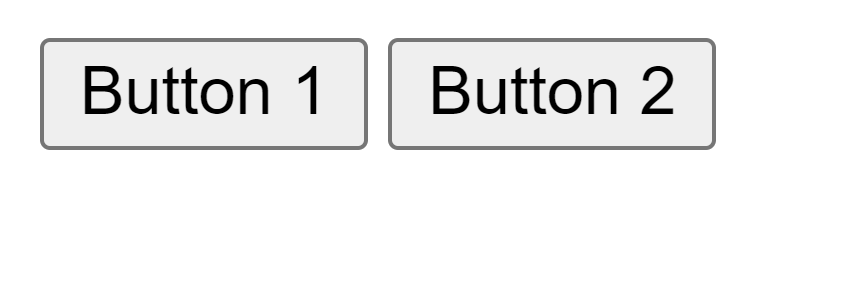
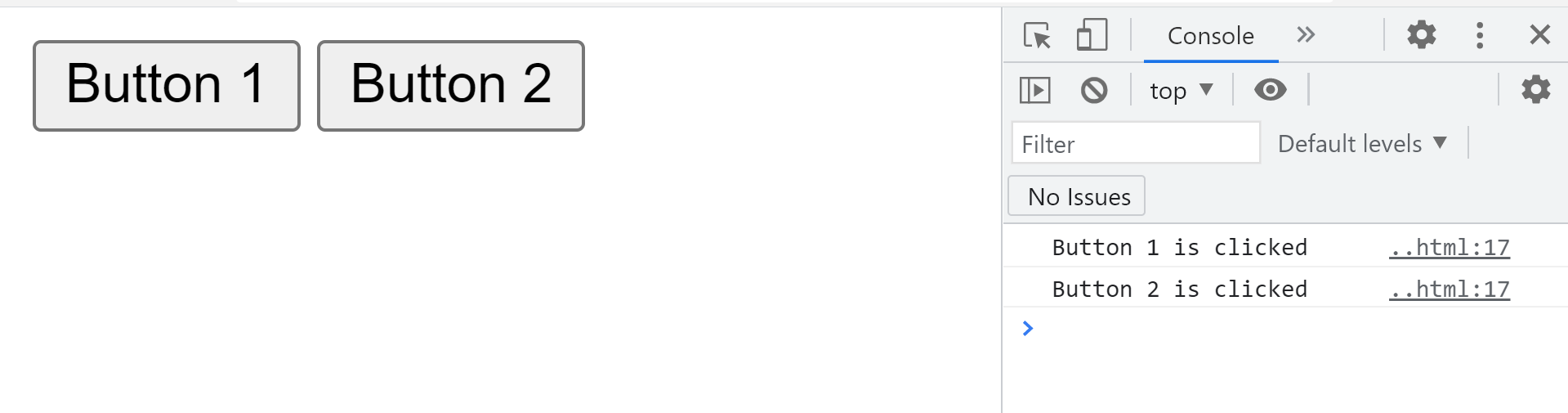
If we click on any of these buttons, their respective onclick() event handler is triggered which prints a message onto the console.
How to use focus event in JavaScript
The onfocus() event gets triggered when an element gets or loses focus:
For example, in the code snippet given below, the “focusEvent()” method is called on the onfocus() event in the input tag:
HTML
JavaScript
document.getElementById("input1").style.background="green";
}


How to use KeyDown event in JavaScript
The onkeydown() event is triggered when a key is pressed by the user:
For example, in the following code, the “keyDownEvent()” function is called on the “onkeydown” event, and the alert message is shown in the function definition:
HTML
JavaScript
document.getElementById("input1");
alert("Pressed a key");
}

How to use load event in JavaScript
The onLoad() event is triggered right after the web page has been successfully loaded.
For example, in the code snippet given below, a simple alert message is displayed on the onload() event in the body tag:

Conclusion
Events are very important in making any web page interactive and responsive. An event can be initiated by the browser or the user. When a user interacts with the HTML elements of a webpage, an event is triggered. JavaScript gives us an option to respond to these triggers by using event handlers. In this how-to guide, we learned how to use event handlers to respond to events and make web pages more responsive.
from https://ift.tt/2XaaUuL


0 Comments