


Any avid PC gamer will know that technology, especially computer technology, changes faster than most budgets will allow for. Attempting to keep up with all the latest computer components can be quite difficult. Eventually, you might be having a conversation with yourself, debating whether to purchase a new gaming rig or laptop altogether.
Before you crack open your piggy bank or work extra hours to afford a complete upgrade, it might be worth asking if you can upgrade some vital components instead.
While this may still cost you a pretty penny, it is nowhere near as expensive. It is a long-held belief that upgrading laptop components is and always has been a near-impossible task.
As these components tend to be integrated directly onto the motherboard and for the average consumer, there is no way of identifying which component to swap out, not to mention soldering the new components onto the motherboard.
The short answer is, tentatively, yes. You can upgrade your Alienware Laptop’s graphics card. Bearing in mind, there are some serious caveats to this. The main one being it is entirely dependent on the model of Alienware laptop you own.
There are also certain models where upgrading the graphics card is completely off the table (Alienware 14 for example) as the GPU is soldered to the motherboard. There are a few work arounds if you own a newer model which we discuss further down this article.
Within the Alienware family of laptops, there are models which are, sadly, not upgradable. This is due in part to the internal structure of laptops and the hardware configuration.
Dell, the company behind Alienware, has certain bespoke standards for manufacturing the internal components of its laptops. This means, for example, you cannot simply insert a CPU (Central Processing Unit) from any brand into your Alienware laptop at random and expect it to work.
How to Tell if Your Alienware Laptop is Upgradeable?
One of the fastest and easiest ways to check if your graphics card can be upgraded is to consult the service manual or hardware maintenance manual for your laptop.
To do this, simply visit the official website of your laptop’s brand (in this case, Dell/Alienware) and navigate the web page until you find your laptop model. There will be an option to download either manual.
Within the manual, there will be a section on how to open up your laptop as well as details of upgradable components, if there are any.
Please bear in mind that if all the internal hardware is soldered or sealed, then you will not be able to replace them without breaking your laptop.
Which Alienware Laptops are Upgradeable?
The main classes of Alienware models with upgradable components are the M17, M15, and Area 51m. You are definitely in luck if you own any of the above Alienware tech.
However, it is worth mentioning that you might only be able to replace certain components of the laptop. With the added caveat that you might be limited to a specific company’s products when choosing the upgrade.
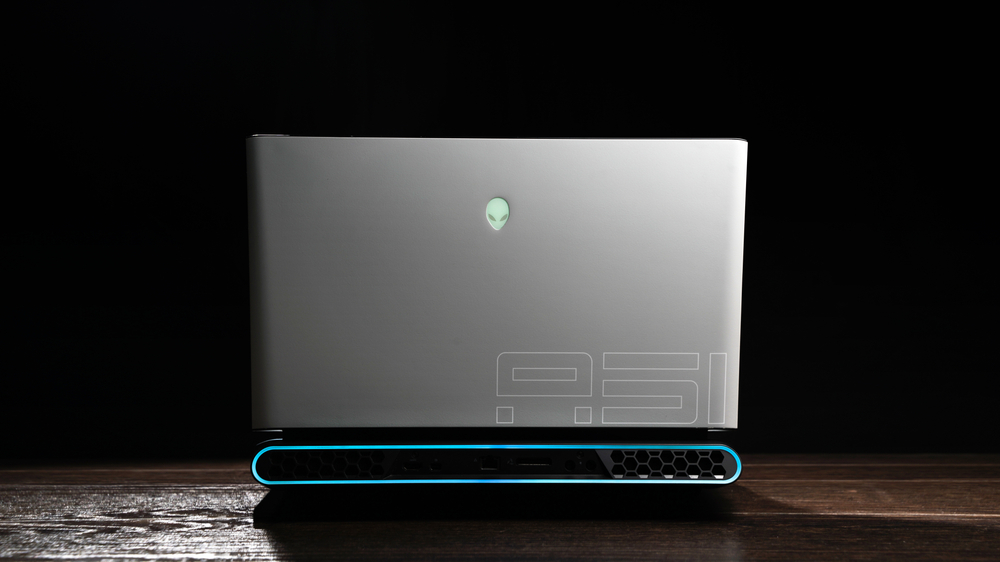
For example, the Alienware Area 51m does come with an upgradable CPU and GPU. The Area 51m range of laptops are shipped with a bespoke Dell Graphics Form Factor (DGFF).
The DGFF allows you to upgrade the CPU and GPU without having to replace the motherboard.
However, there are certain limitations. Most owners of the Alienware Area 51m R1 were expecting to be able to switch out their RTX 2070 and 2080 GPUs with the newer RTX 2070 Super or 2080 Super.
These components came as standard with the R2 version. This isn’t the case as the newer R2 GPUs have a different socket format.
Another example is the older m15X and m17X, both of which have GPU upgrades. You can replace the Radeon HD 5730 module with either an NVIDIA GTX 460 or AMD 5850 graphics card.
I Own a Newer Alienware Laptop, Can I Upgrade?
As mentioned above there are certain classes of Alienware laptops that can be upgraded. If you own a more recent model, like the X15 or X1 for example, then the chances are that you will not be able to upgrade these laptops.
This is due to an overhaul in the way Dell manufactures their laptops, meaning that all of the components are soldered directly onto the motherboard.
However, there are a few work-arounds if you have the time/money to do them.
One option would be to use an eGPU. Dell released the Alienware Graphics Amplifier, which might solve the issue of upgrading your laptop.
In simple terms, the Alienware Graphics Amplifier is an external piece of hardware which plugs into your Alienware laptop via a single cable. Once connected, the Alienware Graphics Amplifier enables the PCI-Express graphics card connection as well as four USB 3.0 ports.
Summing Up
To conclude, there is hope if you want to upgrade your Alienware laptop. If you own one of the older models (Area 51m, M17, or M15) then you can upgrade certain components. However, you will be limited in terms of choice of brand. It can be costly to upgrade as these components are limited.
If you are performing the upgrade yourself then it might be worth watching a tutorial. Typically, you will need to remove several layers of components before you reach the one you want to swap out. It’s best to research how to perform the upgrades yourself and ensure that you are confident enough to do it.
If you own a newer model of the Alienware brand, i.e X15, then your best option is to go for an external GPU. This will give your laptop the power and performance boost you want and is as simple as plugging it into your device.
If you do own an Alienware laptop which can be upgraded, then researching the right components should be your first port of call. This will save you a lot of time and money further down the line.
from https://ift.tt/3coZpmY



0 Comments