


What Is Hardware Acceleration? Do I Need It?
Hardware acceleration refers to relieving tasks from one hardware component to another to ensure smooth and fast processing. Specifically, hardware acceleration uses GPU to free some load on the CPU to accelerate the processes. Using GPU is the intense graphics used in games, the latest web apps, and websites. And passing off some tasks to GPU provides CPU a chance to work perform the rest of the tasks more efficiently.
Now answering the question of whether you need to turn ON hardware acceleration or not depends on your PC performance. After turning on Hardware acceleration in Chrome, many users reported early drain of battery, freezing of tabs, and random crashes in the browser. However, it helps the system in running Chrome more efficiently. You can turn it off anytime you encounter the issues mentioned above since it is enabled by default.
How To Turn ON/OFF Hardware Acceleration In Google Chrome?
As told above, hardware acceleration is enabled by default in google chrome. But still, you can check it. There are two simple methods to turn ON/OFF hardware acceleration in Chrome. Let us have a look:
Enable OR Disable Hardware Acceleration Using Chrome Settings
Open the Chrome menu using the three-dot menu button given on the top right-hand side of the chrome browser.
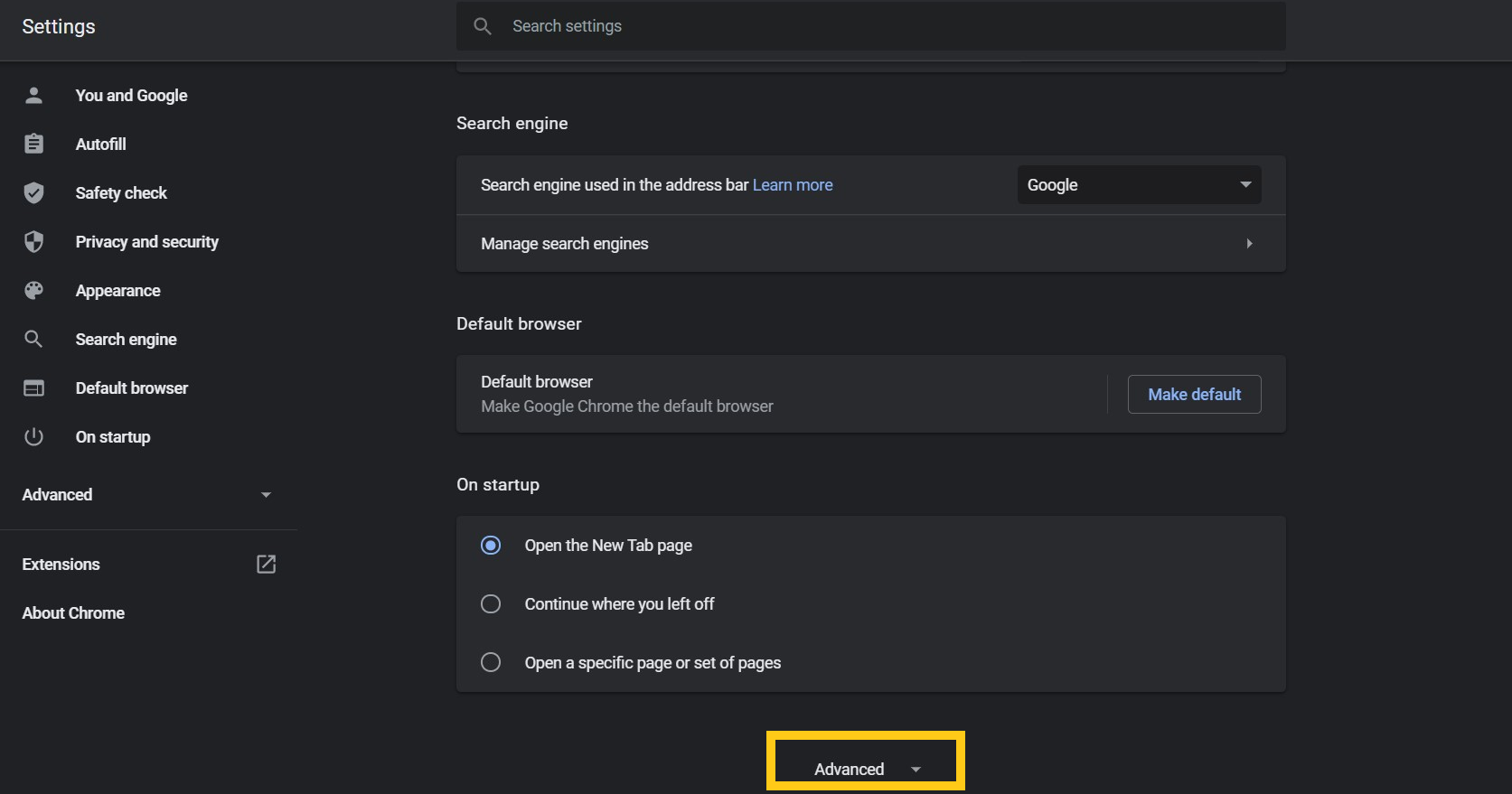
Scroll down and select the Advanced option from the list.
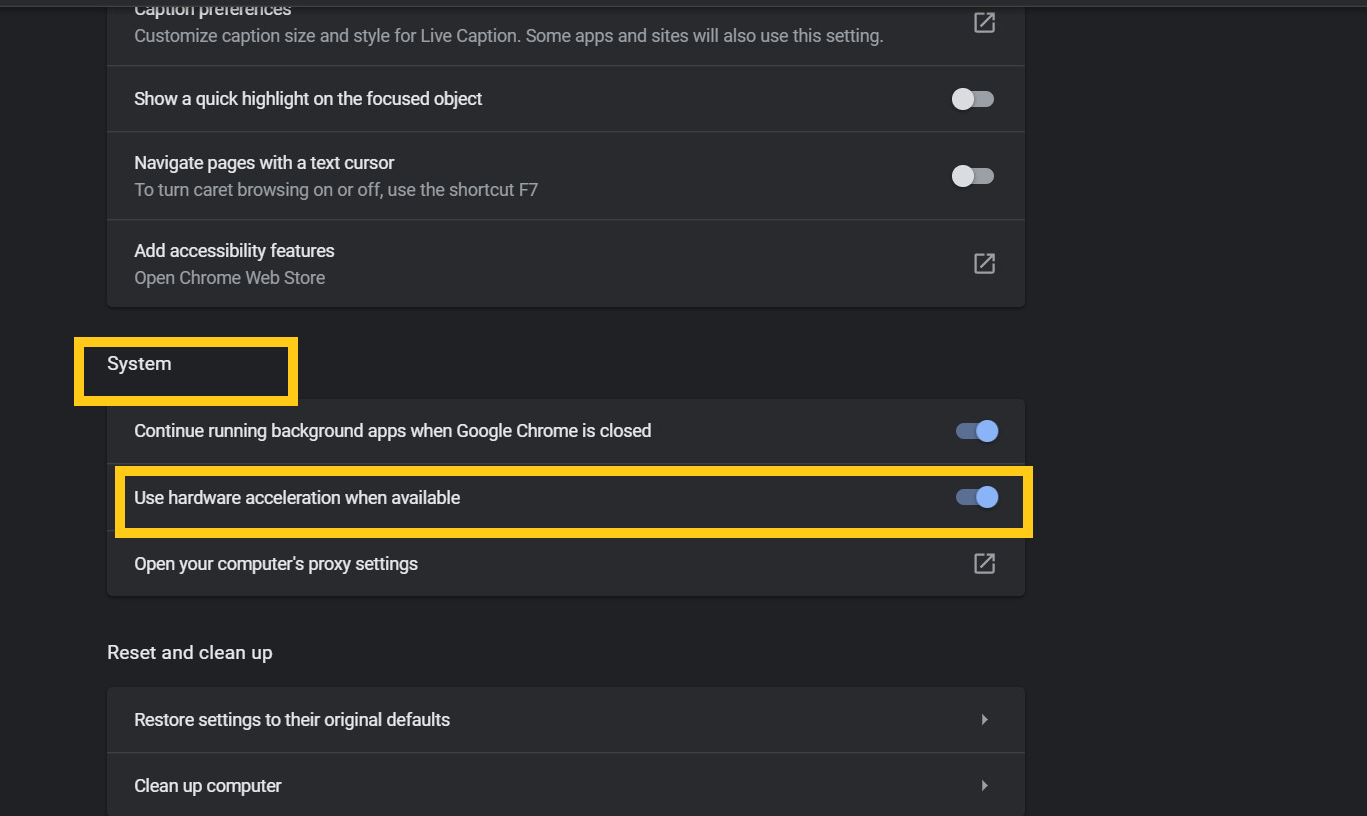
Move to the System section and check the toggle button to enable or disable the hardware acceleration in Chrome.
Turn Hardware Acceleration In Chrome Using Registry(Windows)
The other option for doing the same is using Registry Editor.
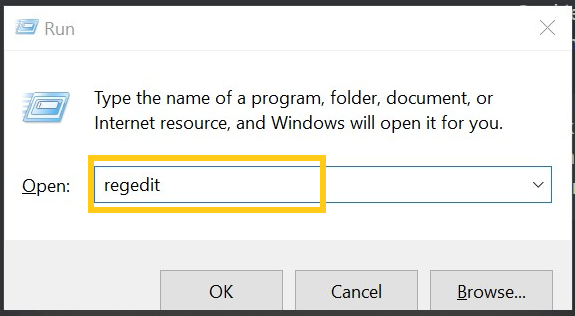
Open the Run dialog box by pressing the Windows+R button.
Type “Regedit” in the box and hit enter to open the Registry editor.
Now navigate step by step to HKEY_LOCAL_MACHINE \ SOFTWARE \ Policies \ Google \ Chrome \
Hit right-click on the chrome button to create a new DWORD 32-bit value.
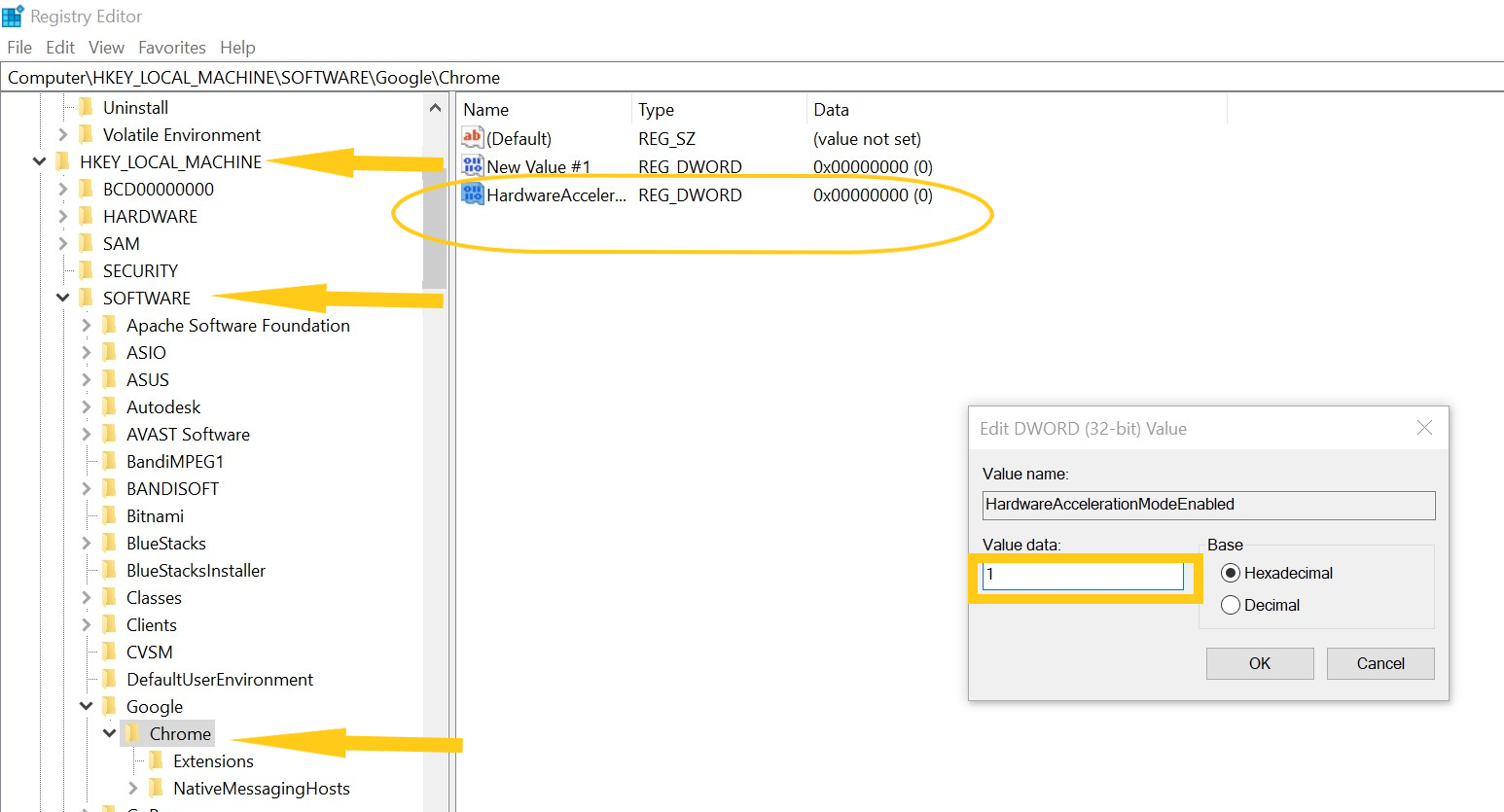
Rename the value to HardwareAccelerationModeEnabled and Set the value 0 to disable and 1 to enable the hardware acceleration on Chrome.
Just restart the pc to apply the settings.
Usually, Hardware acceleration is always enabled on Google Chrome; however, if you want to turn it on occasion, I would suggest you turn it every time you use 3d graphics, high-end games online, motion games, and videos. It will result in high FPS.
from https://ift.tt/3sFL1y7


0 Comments